> For the complete documentation index, see [llms.txt](https://docs.silverswap.io/spiritswap-v3/llms.txt). Markdown versions of documentation pages are available by appending `.md` to page URLs; this page is available as [Markdown](https://docs.silverswap.io/spiritswap-v3/archived/ape-mode.md).
# Ape mode
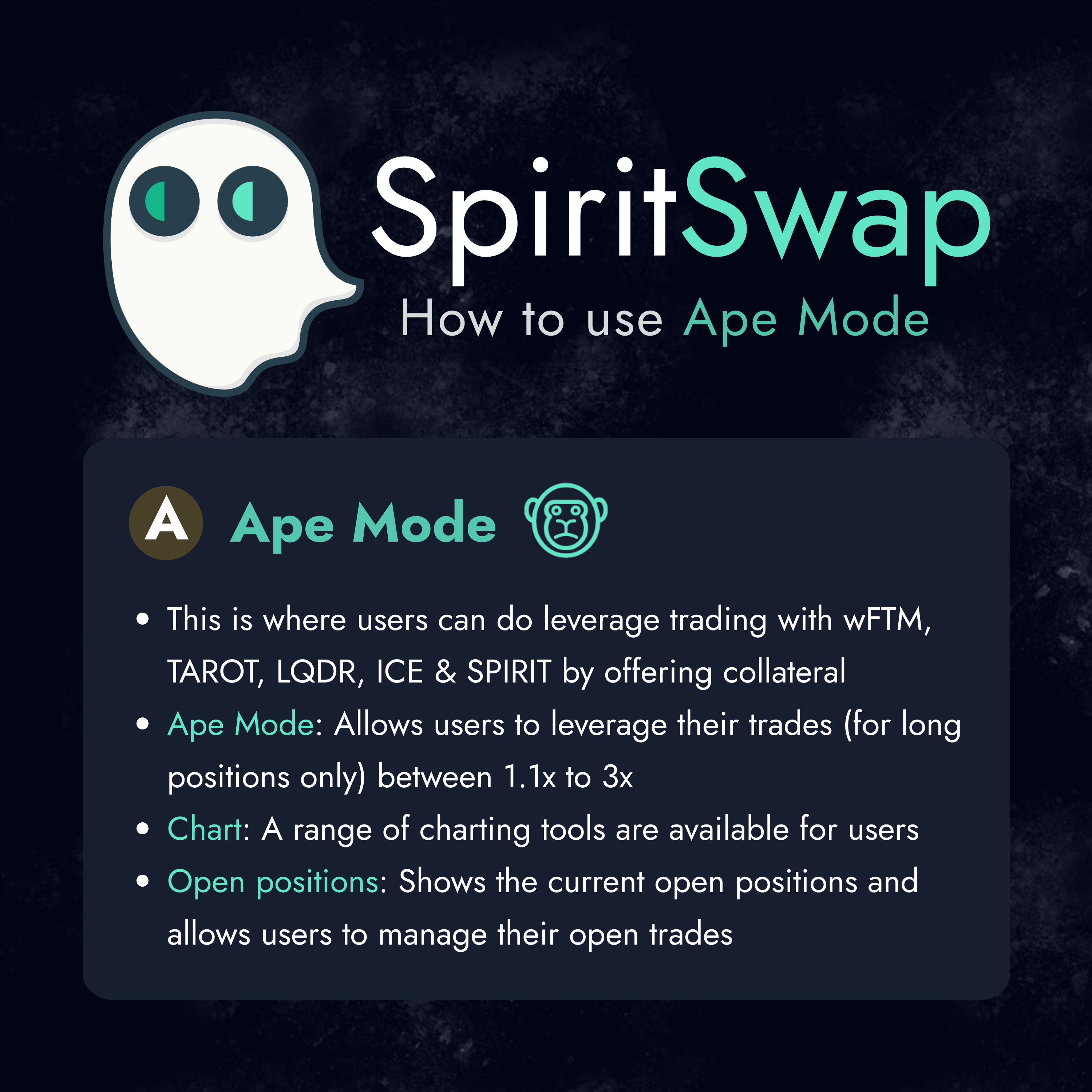
This section contains helpful infographics on how to operate our decentralized leverage trading product "ApeMode".
***Note: Ape Mode is currently under maintenance and will resume as part of our V2.5 update.***
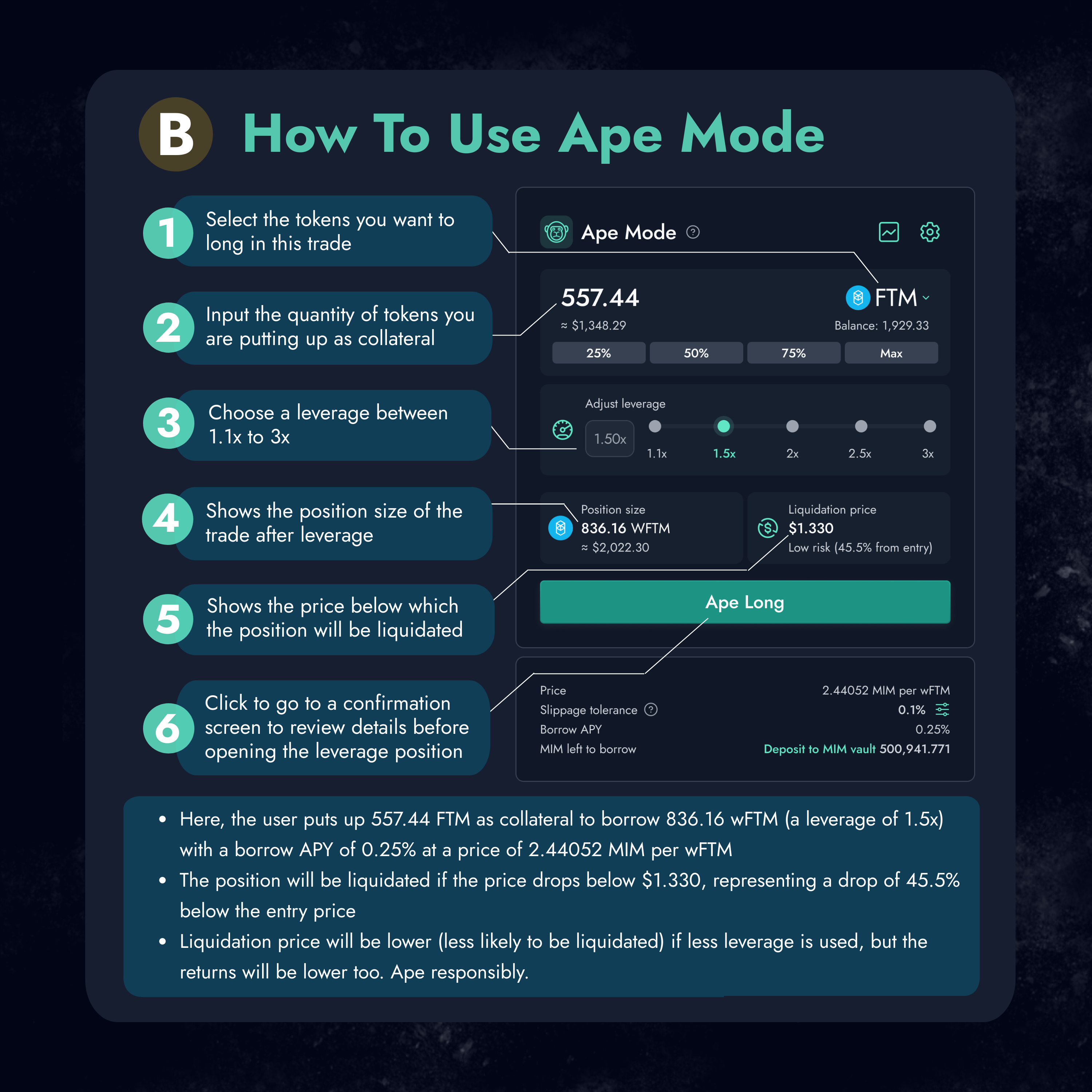
How to use Ape Mode
List of steps provided
1. Select the tokens you want to long in this trade.
2. Input the quantity of tokens you are putting up as a collateral.
3. Choose leverage between 1.1x to 3x
4. Shows the position size of the trade after leverage.
5. Number five on the graphics will show the price of liquidation in which if the token were to hit the price, funds will be liquidated.
6. The Ape Long button will allow users to go to a confirmation screen to review details before opening a leveraged position.
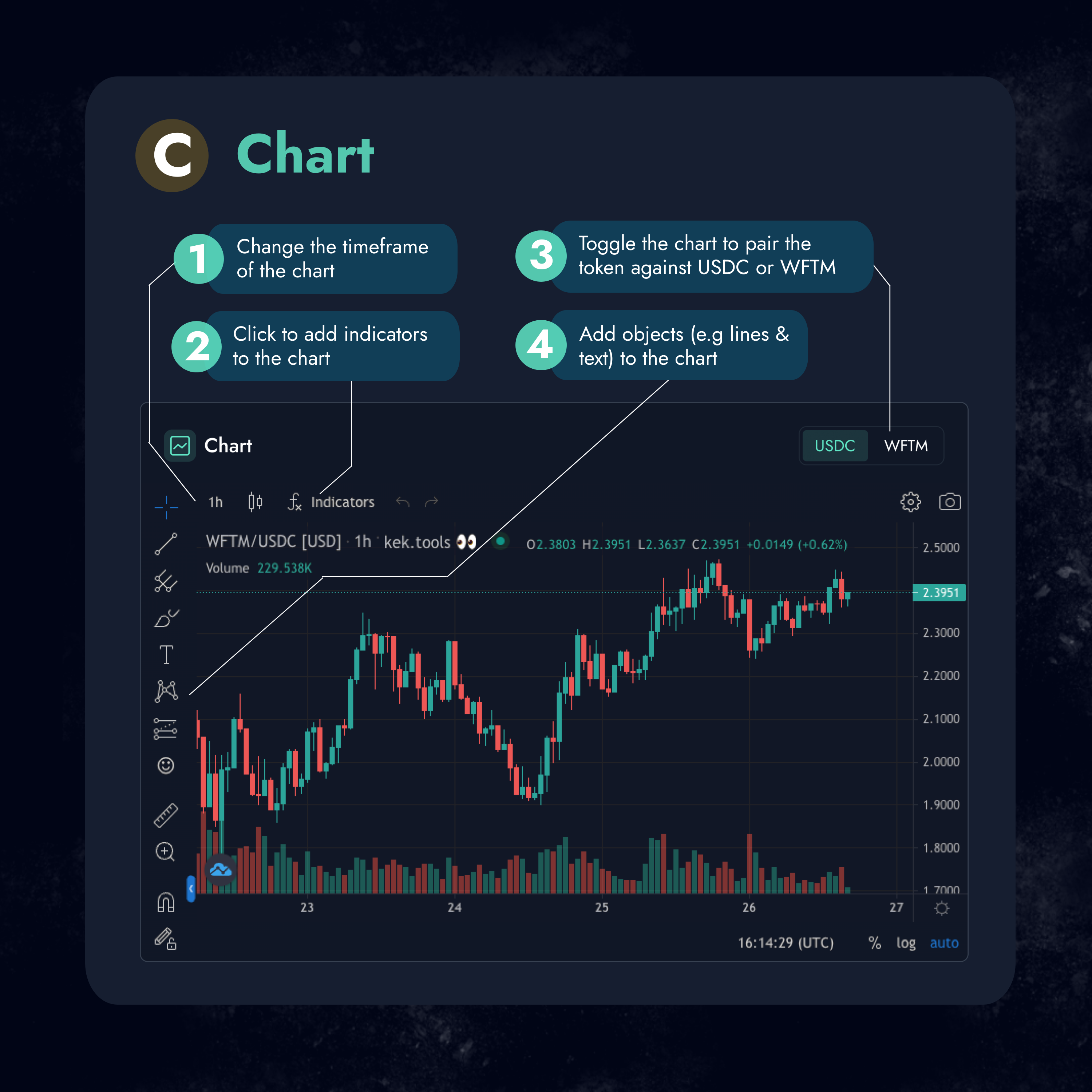
Chart guide
* The graphics shows on the helpful feature from the chart that would be useful when charting for the leverage function within the Ape Mode.
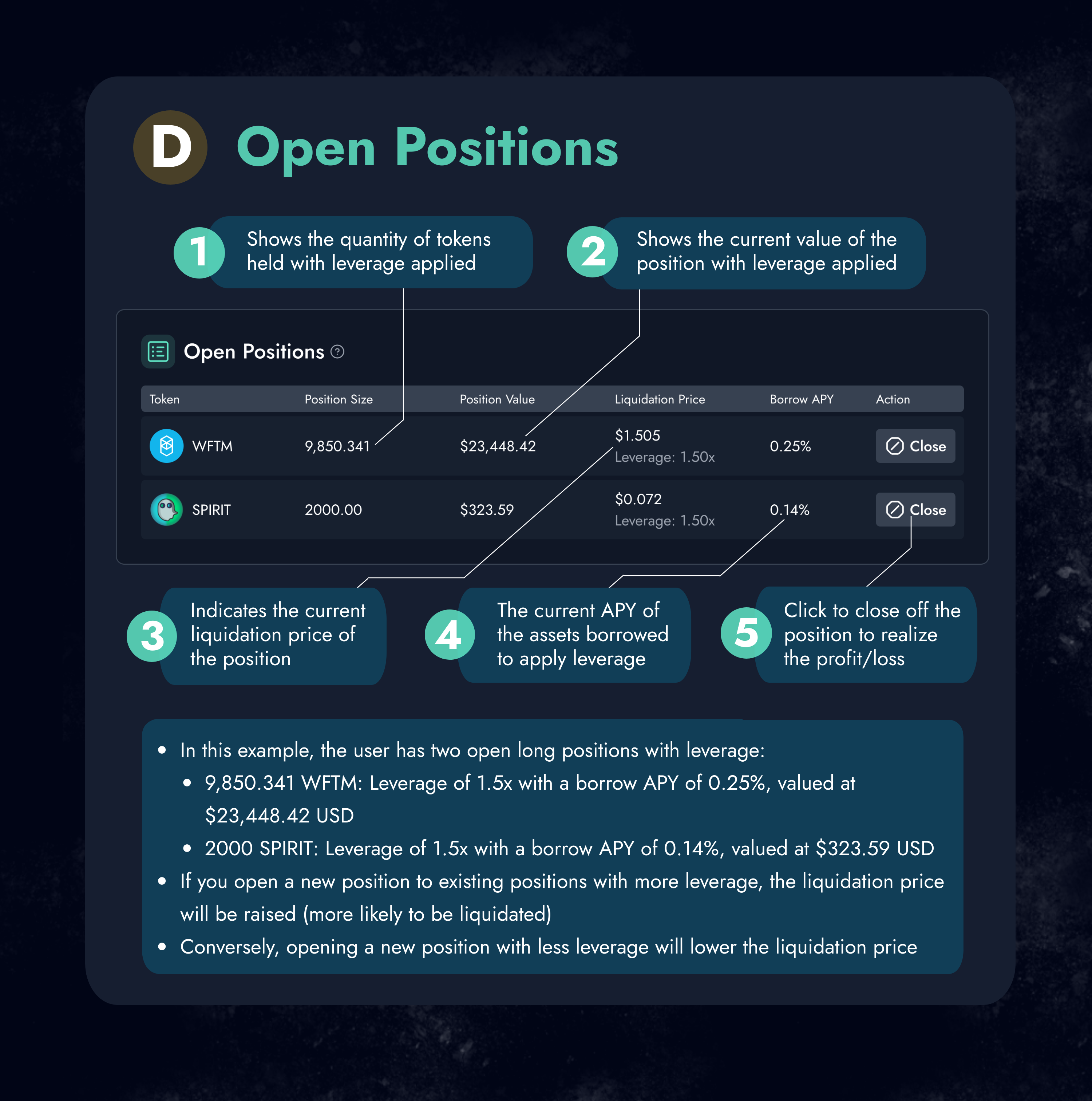
Open position guide
1. Shows the quantity of tokens held with leverage applied.
2. Shows the current value of the position with leverage applied.
3. Indicates the current liquidation price of the position.
4. The current APY of the assets borrowed to apply leverage.
5. Clicking this will close off the position to realize profit/loss .