> For the complete documentation index, see [llms.txt](https://docs.silverswap.io/spirit-swap/llms.txt). Markdown versions of documentation pages are available by appending `.md` to page URLs; this page is available as [Markdown](https://docs.silverswap.io/spirit-swap/howto/how-to-use-migrate.md).
# How to use Migrate
## **Requirements:**
* Have FTM in MetaMask on the Fantom Opera for the gas fee.
* Have active liquidity in the LP (liquidity pool) you wish to Migrate.
* Have Fantom network selected and set up with the correct [RPC details](https://chainlist.org/).
## **1. Go to** [**SpiritSwap.Finance**](https://www.spiritswap.finance/)**.**
## **2. Click on "Enter App".**

## **3. Connect wallet.**

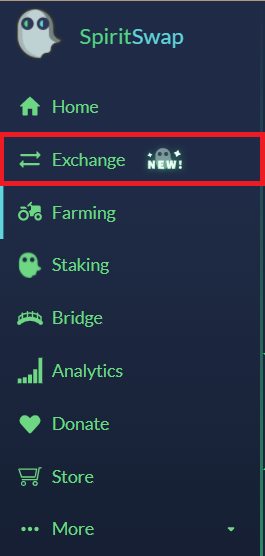
## **4. Click on the “Exchange” tab.**
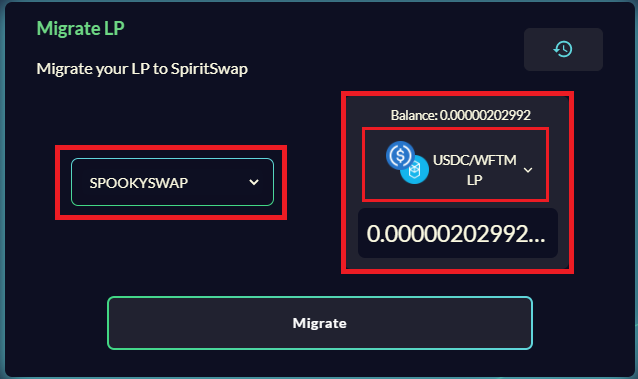
## **5. Click on “Migrate”.**

## **6. Select the Dex you want to migrate your LP’s from then, select the LP you want to migrate.**
* *Always leave $FTM in your wallet for the gas fee*
## **7. Click “Migrate”.**
## **8. Click on “Confirm Zap”.**
## **9. Confirm the transaction in Metamask.**
##